

OVERVIEW
Is personal PAN card mandatory in Nepal? Yes ! Any Citizens having an income source should apply for Personal pan card in Nepal. It is a unique 9 digit number which is issued by inland revenue department of Nepal a Digital system which monitor cash flows and make sure everybody is paying their taxes. Obtaining this card is a smooth and easy process. In this blog i will walk you through how simple it is to apply for Personal Pan card in Nepal.
2 easy steps to get a personal PAN card in Nepal.
- Apply for Personal pan online form by visiting Tax Department’s Website.
- Print online submission paper , take citizenship card and visit nearby Tax Office.
What are the documents needed to apply for pan card in Nepal?
Documents needed to apply for online application for personal pan in Nepal.
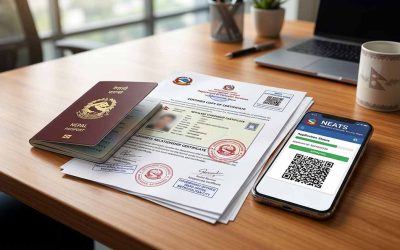
- Scanned Citizenship Card
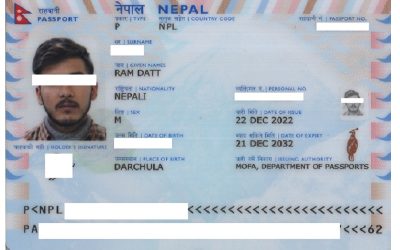
- Scanned MRP photo
Scan your documents in a good quality to avoid rejection during applying your personal pan card in Nepal.
Documents needed to apply personal pan card during visit of IRD tax department office.
- Printed application form.
- Original Citizenship card.
When visiting the tax department office for PAN card registration in Nepal it is important to bring your Citizenship Card along with a printed application form.
How to apply personal pan online form in Nepal?
Applying for personal pan in Nepal is a hassle-free and straightforward process. You can initiate the online application process from the ease of your home or workplace and later visit the tax office to pick up your card. To begin, simply complete the online application form by navigating to the Official Website of the Tax Department of Nepal which is accessible via your mobile device or computer. Open your internet browser and visit https://ird.gov.np to began your processing. Best browser to apply for personal pan in Nepal is Mozilla Firefox.
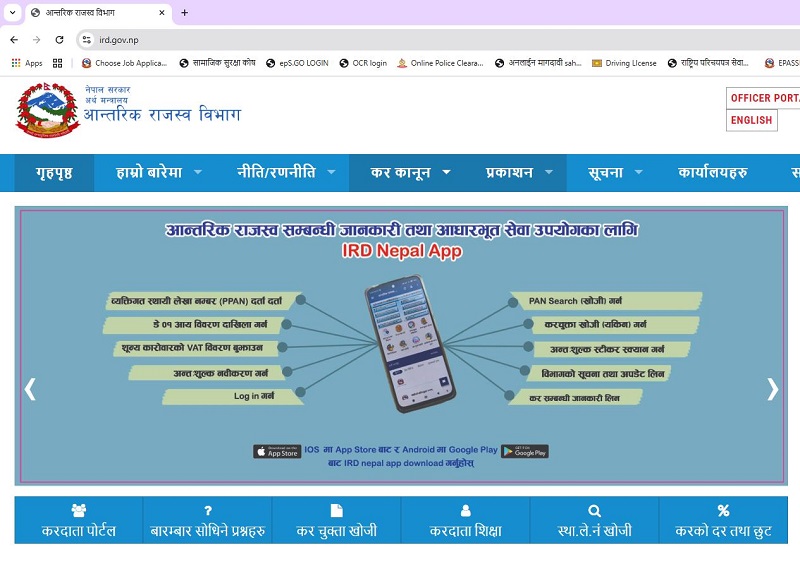
After entering the link of department of tax office click on करदाता पोर्टल Taxpayer Portal as indicated in image below.

after hitting taxpayer portal करदाता पोर्टल Online E services menu is displayed at the left side of website, Now proceed to registration menu and click on Application for registration.

Applicant now needs to create online user account and get submission number. To get submission number submit your login information like your desired username, Password, Contact Phone , Email id. After entering login information select Personal Pan below Registration option. Now select IRO/LTO for verifying offices.
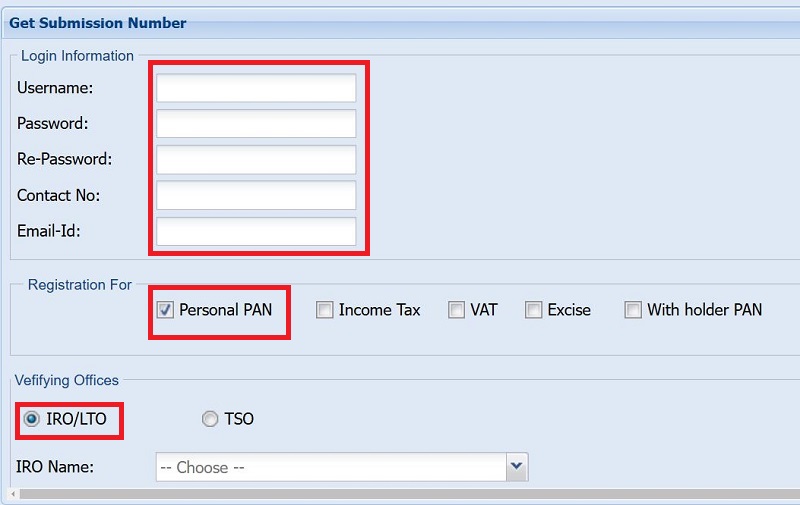
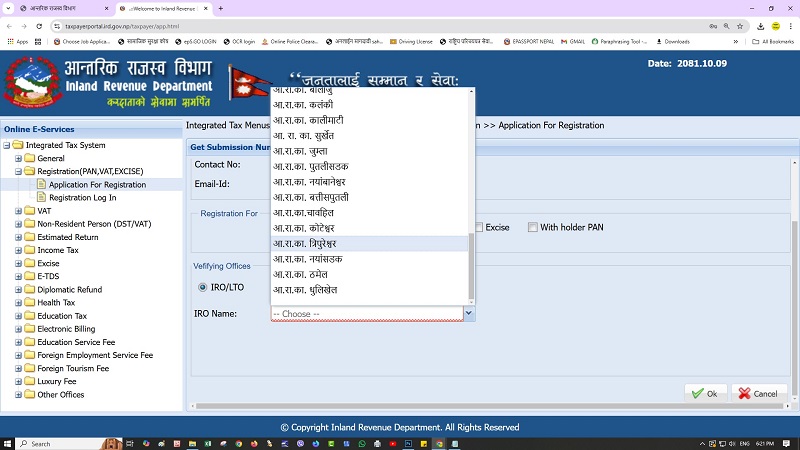
You will now get your submission number , make sure you have copied your submission number or take screenshot. This number helps to edit or renew your records in future use. After copying your submission number now click on continue button to proceed further entry.
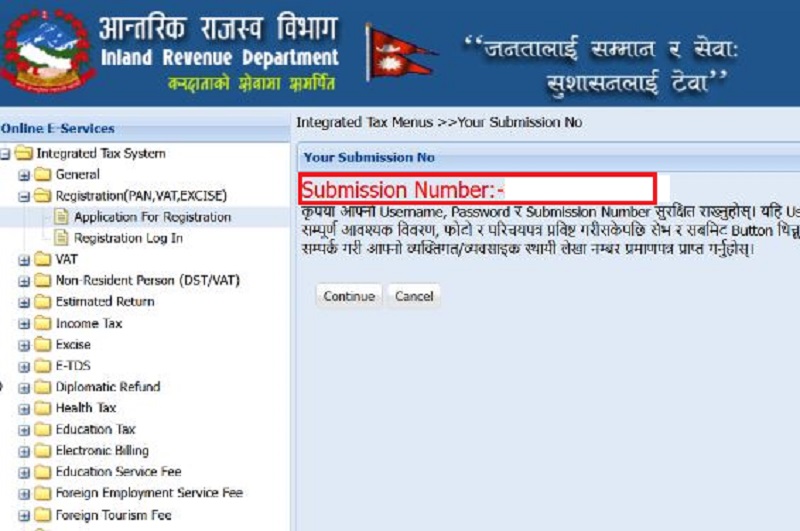
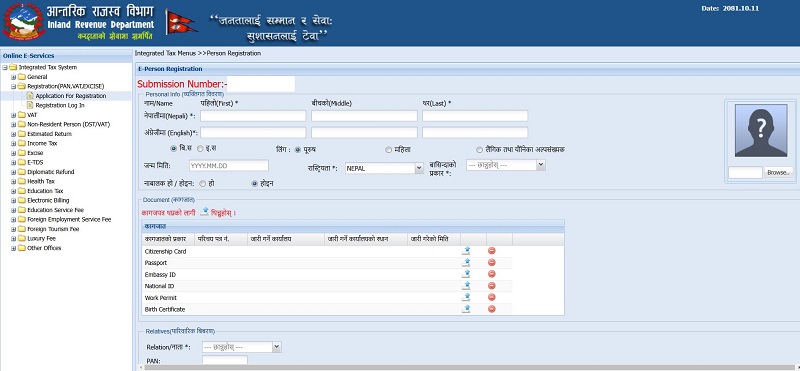
After hitting continue button, main window to enter your information will be displayed, here application needs to enter Personal Information , Upload your documents, Enter your Relatives information, Source of income, Profession, Address information, Mailing information,Bank account details , Preferred alert service and then finally submit your online application. Fields with * sign are compulsory. Make sure your entered information in fields are accurate and correct. Mistake in your application may cause delay in processing in your personal pan .
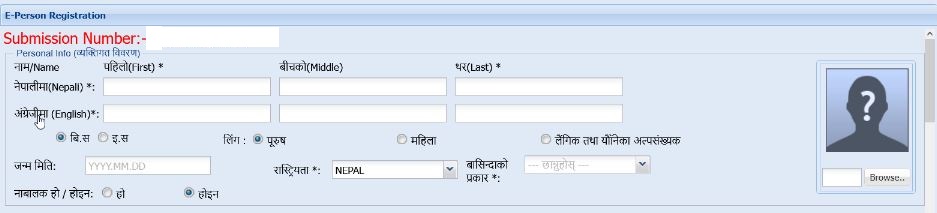
A.Enter your basic information.
You will enter your information in Nepali Unicode (Traditional or Romanized ) and in English. Enter your date of birth, Sex , Nationality, Residential type and upload your MRP photo. Then proceed below.
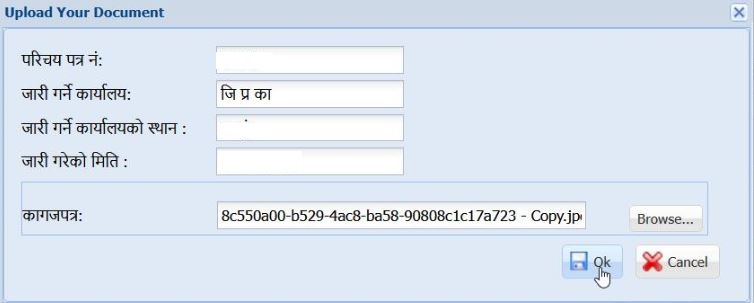
B.Upload your citizenship documents.
You will now enter your citizenship card details in empty fields and then upload your merged id card both sides in a single page. Enter Citizenship card no, Citizenship Issue Office, Citizenship issue district , citizenship issue date and then upload citizenship card to upload citizenship card click on browse button and upload your document , finally after your document is uploaded click on OK button to save your uploaded document.
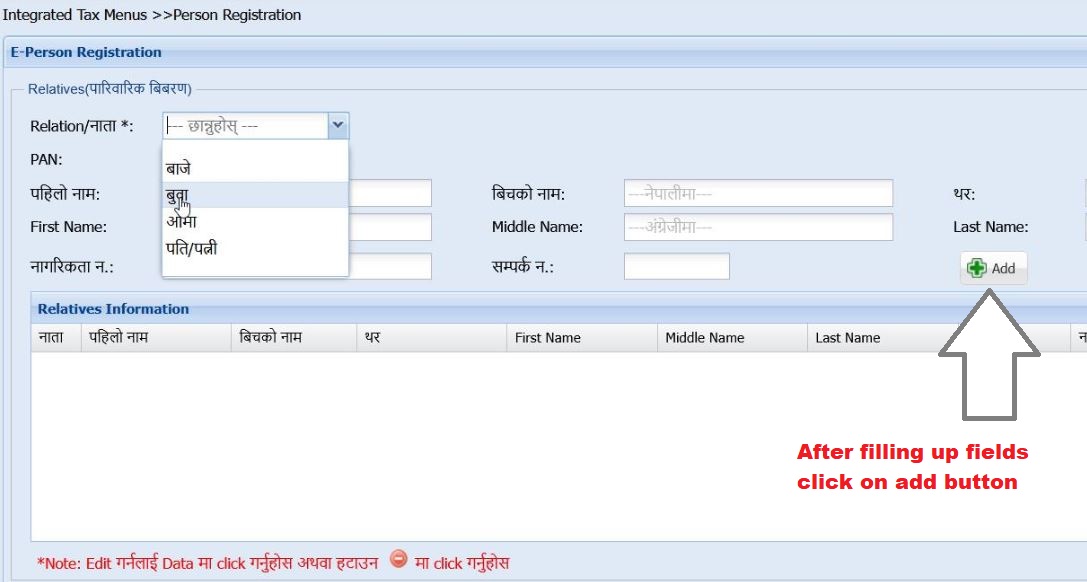
C. Relatives Information.
click drop down box then select your relatives information. Entering your father’s detail is mandatory whereas other options are optional. After entering empty fields click on add button to save the entered information. You also can add other relatives information as listed in drop down box.
D. Source of Income.
If paying tax to Nepal government then select the source of income and proceed further.

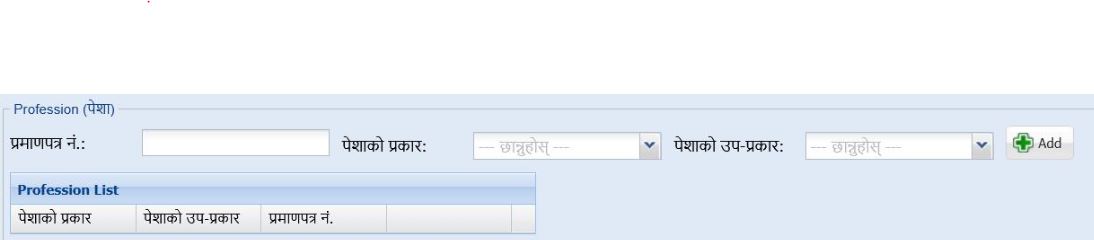
E.Profession
Entering this information is optional. Enter what is the type of your profession and go to next menu.
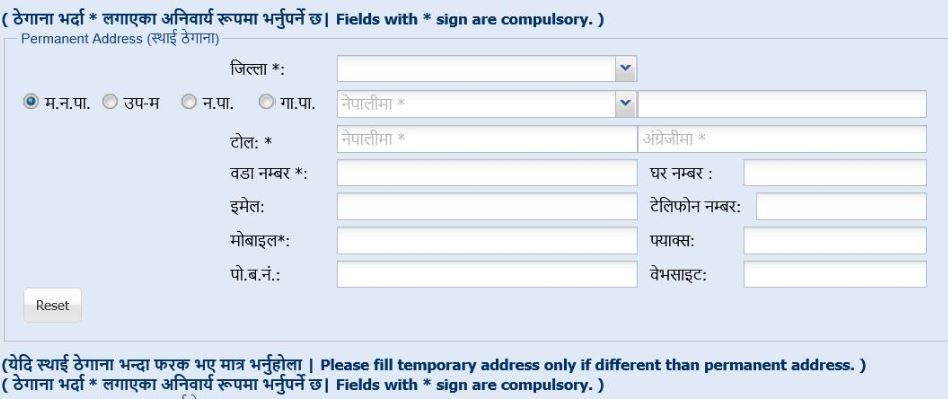
F.Permanent address
Enter your permanent address , select your district, local level , your email and mobile number whereas other empty fields are optional. Make sure you have entered your address in new format after federalism established in Nepal.
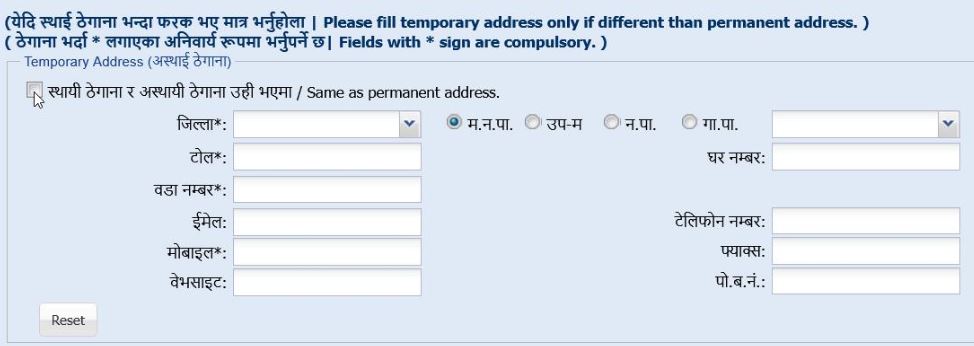
G.Temporary address
Enter your temporary address if your address is same as permanent address then click the radio button Same as permanent address.
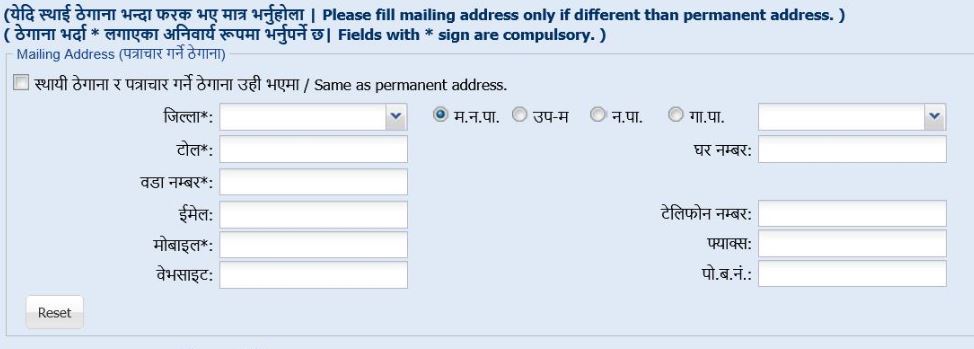
H.Mailing information
enter your mailing address for communication purposes.
I .Bank account information : Entering your bank information is optional you are suggested to provide your bank details so that refund process can be done easier.
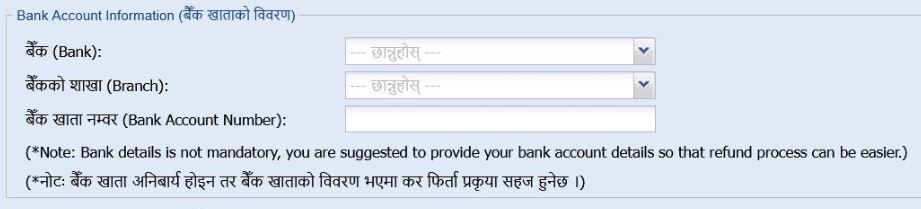
J.Preferred alert service : You will receive notifications from IRD office through your preferred alert service. Select your address type , SMS and Email .

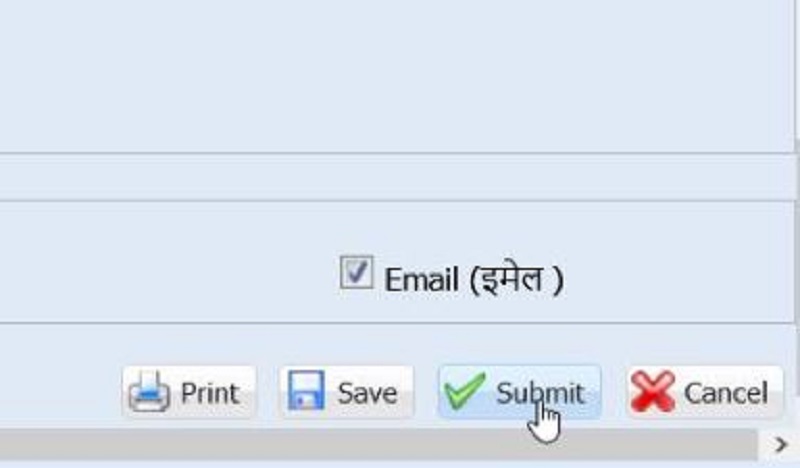
K . Submit your application : Finally selecting your address type click on submit button . After hitting Submit button system will save all your information and then send you a OTP number in your mobile phone number .
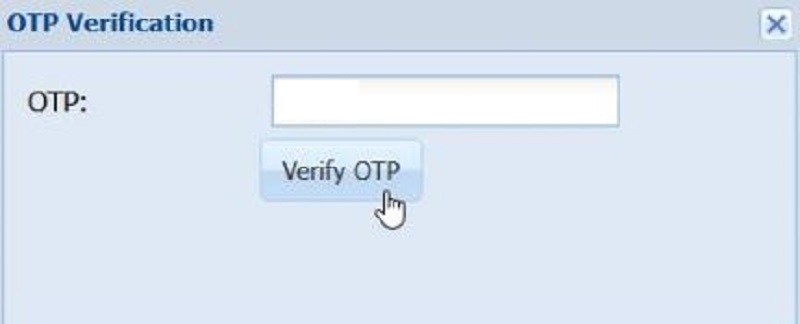
L : Verify OTP : Enter your otp number and click on Verify OTP button to finalize the process of applying personal pan online form in Nepal.
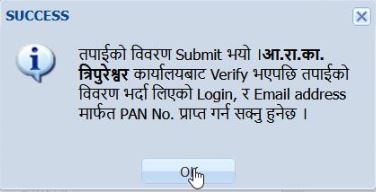
You will be notified you have submitted your online application and notifies you where to visit to process your online application.
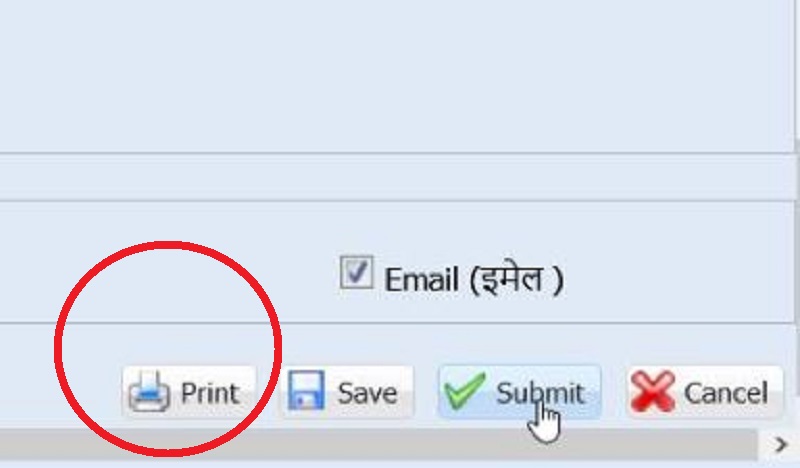
PRINT YOUR APPOINTMENT : Finally after submitting your online form, Print your document by clicking on print icon located at bottom right of the page.
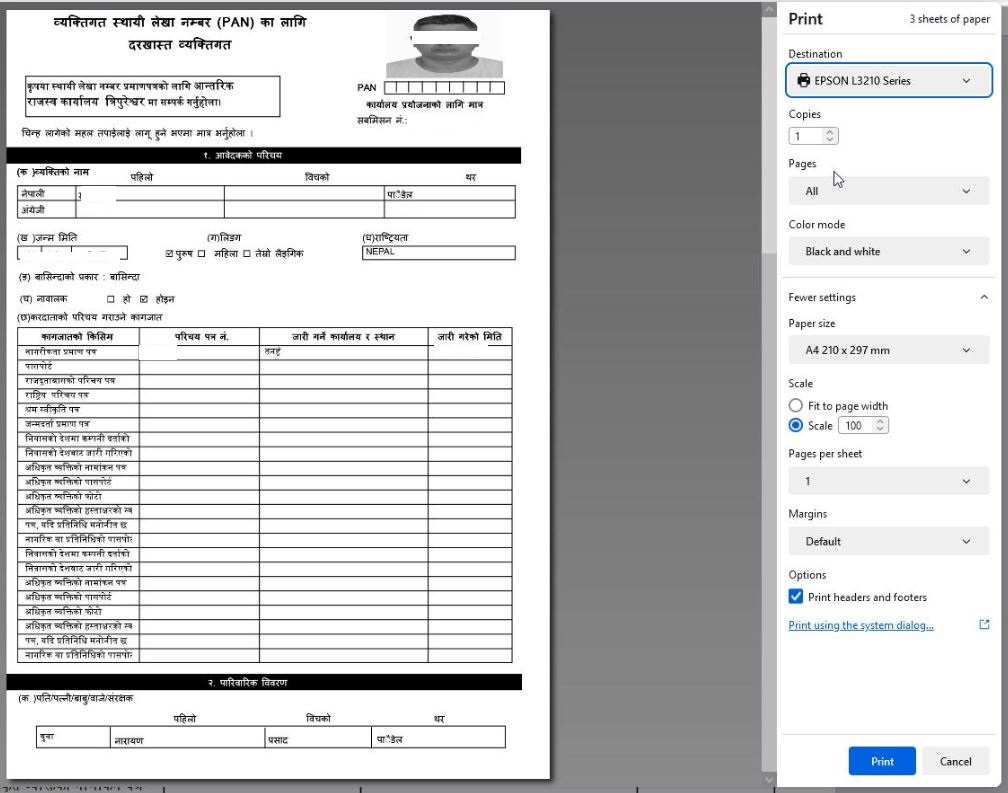
Take this printed paper with your citizenship card to your desired tax department office nearby your locality. Processing is done instantly and they will provide you your card.
How much it cost to apply for personal pan in Nepal?
To apply for personal pan in Nepal It’s completely free; however, if you opt to utilize local cyber online services to assist with your application, they may charge a fee for their support.
How Much time it takes to apply for pan card in Nepal?
It takes only few minutes to apply for personal pan in Nepal. Applicant needs to apply for online form and then visit IRD tax department office nearby your locality taking your printed online application form and citizenship card then your processing is done instantly in few minutes.
Is it possible to apply for two pan cards by a single person?
Only Single pan card is provided to citizens by the government. It is totally illegal to apply for double or more pan cards by a single person.
Conclusion :
To apply for personal pan card in Nepal it’s an easy process , you can initialize your process by applying for online form by staying at your home or office, after submitting and printing your document you can visit your nearest IRD tax office by taking your original citizenship card then finally your process is done instantly within few minutes. I hope this blog is useful for you. Have a great day.


0 Comments