

How to merge id card or Passport and limit the file Size?
Merging two sided documents using MS Paint is a straightforward and efficient process that can streamline your documentation needs. Start by importing high-quality images of both sides of your ID card or passport, open them in MS Paint for editing. With a few simple cropping and resizing techniques, you can seamlessly align the two images for a polished finish. If you’re looking to decrease image size for easier sharing or faster loading times, Microsoft Paint offers a straightforward solution. In this blog you will understand easy process on how to merge id card or double sided documents into a single file. visit https://www.microsoft.com/en-US/windows/paint#layers to learn more about ms paint.
3 easy steps to combine id card and limit file size.
Easily merge your two-sided documents into a single file by following these simple steps:
- first, import or scan the two distinct images from your mobile device or computer.
- Next, use MS Paint to crop both images for a perfect fit.
- Finally, seamlessly combine the two images in MS Paint to create a unified document.
This video contains information about How to combine Nagrikta, Passports, ID cards in a single file using ms paint?
Step 1 : Import your documents to your pc using your mobile or scanner.
To merge your documents together first you need to import your images into your computer , you may use your camera , Mobile phone or Scanner. Make sure your imported documents are in good picture quality. After you import your both sides of image or id card let’s began to process further.
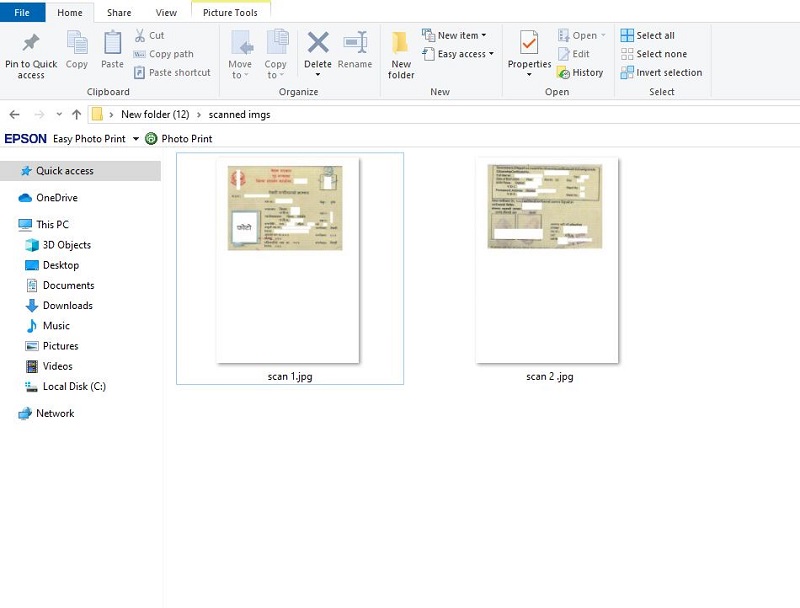
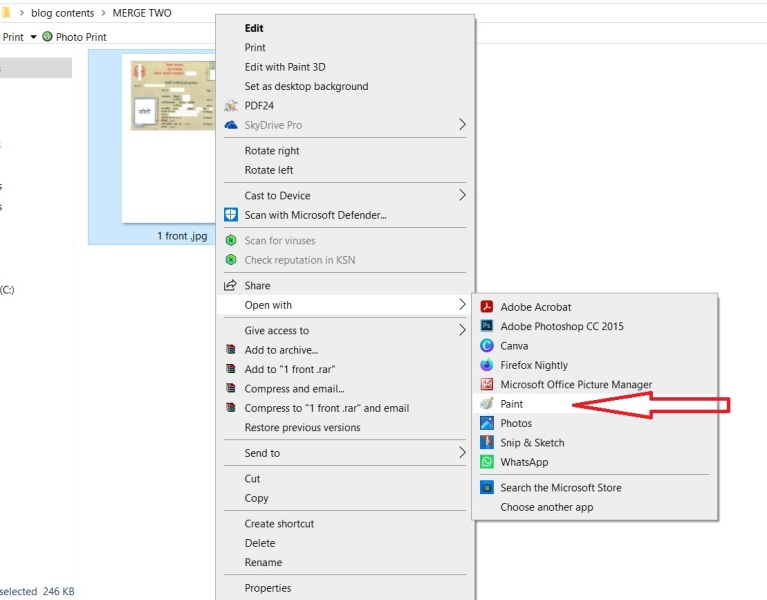
Step 2 : Crop both sides of your scanned documents using Ms Paint application.
One by one , Open your images using MS Paint. To do so, Right click to the document , click “open with” and then click on “paint”.
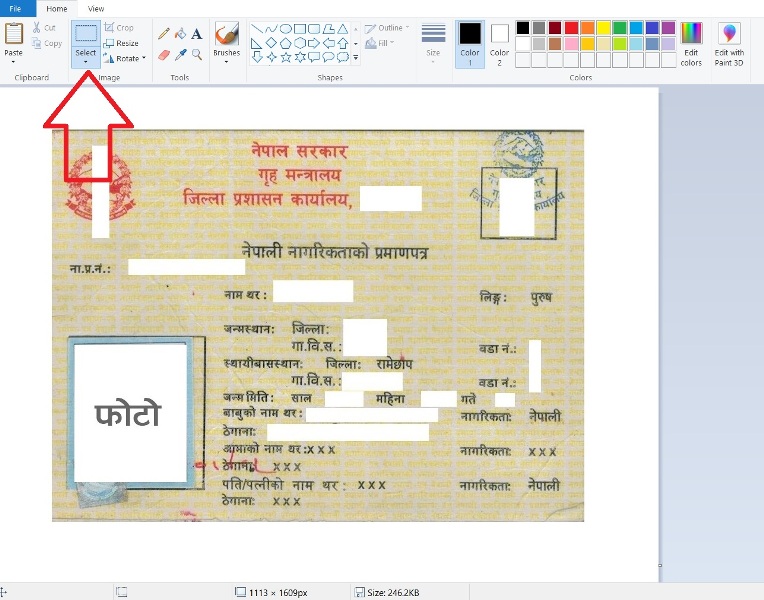
after you open your document in Microsoft Paint application , now, crop the image. To do so first select the region of the image you want to crop using select button located at home menu .
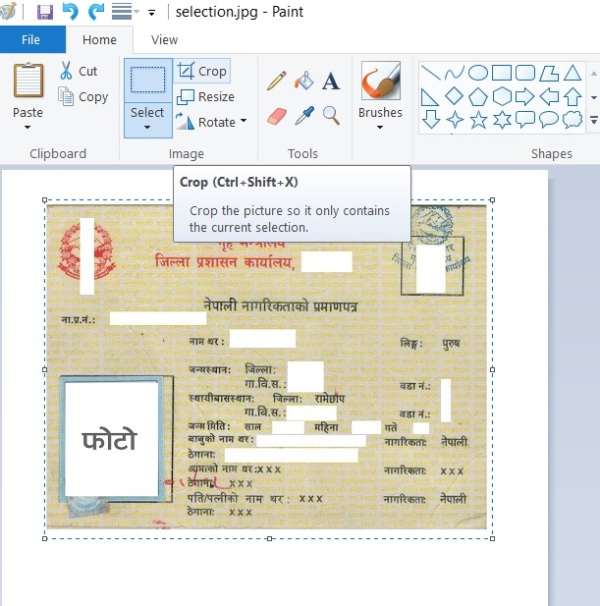
after you selecting and highlighting the desired area you wnat to crop, click on crop menu located in the menu bar. Now , your unwanted area will be removed.
Reducing the size of document is important to reduce the oversize problem, to maintain the size of your desired document you need to maintain the pixel sizing. To maintain the size of document , click on resize button located at the right side of select button.
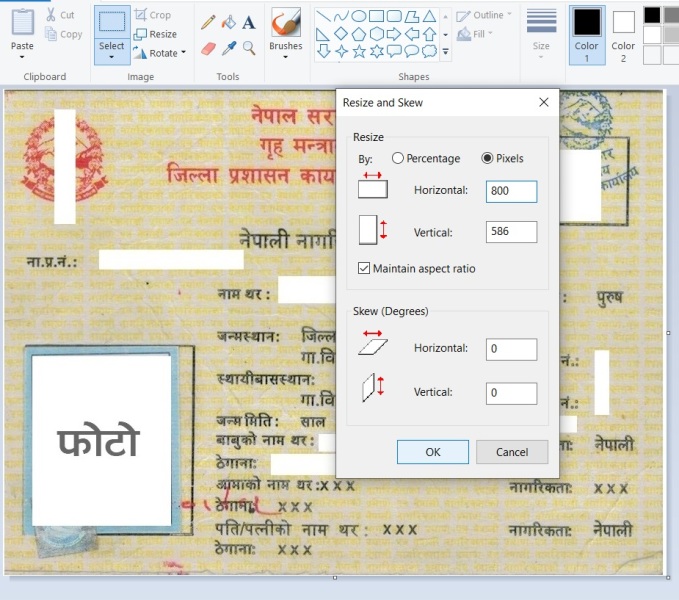
inside the resize menu you can find two radio button options.
- Percentage
- Pixels
selecting pixels would be the better option for maintaining the size of document. change the horizontal value to 800 pixels and click on OK button. Make sure you have checked Maintain aspect ratio button. Remember, the smaller the dimensions you set, the smaller the file size will be.
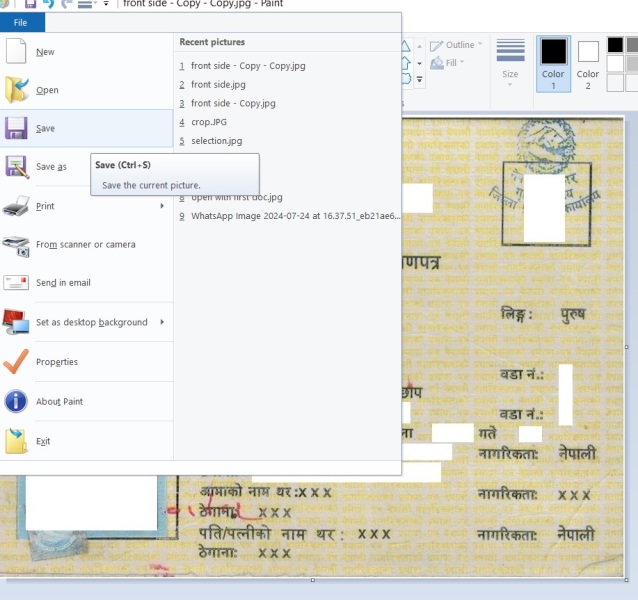
similarly, apply same process to the next document you want to merge together and save to your device. after both images are cropped , resized and saved to your device it’s time to combine both images to a single image.
Step 3. Make a blank a4 document and merge together.
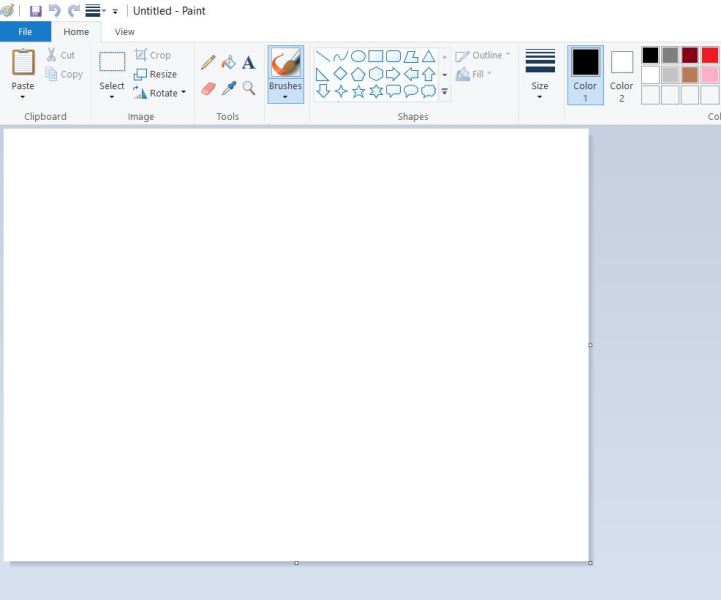
it’s important to resize the document to A4 size before merging id card together. The size of A4 document in pixels is 1240 x 1754 Pixels , To resize the blank document to A4 size click on resize button.

after clicking on resize button , select on pixels change the horizontal value to 1240 and vertical value to 1754 , also don’t forget to uncheck the maintain aspect ratio button (Remove the tick) then click on ok button.

blank A4 sized document is created, it’s time to merge id card documents here in this blank document .To achieve this minimize this blank document window and open the folder containing the cropped images.
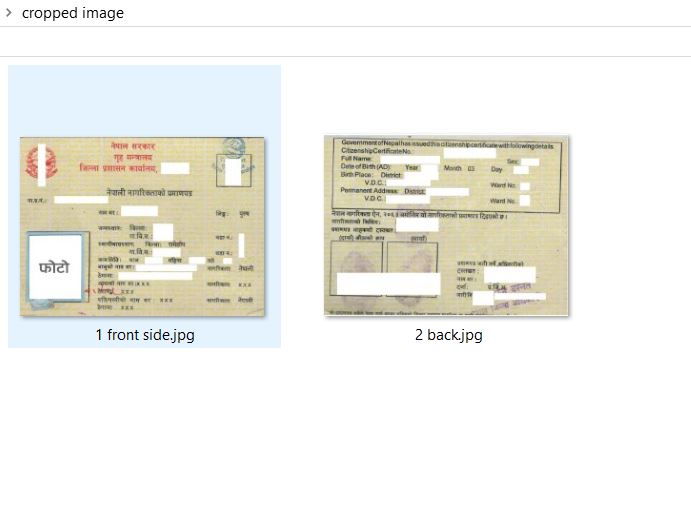
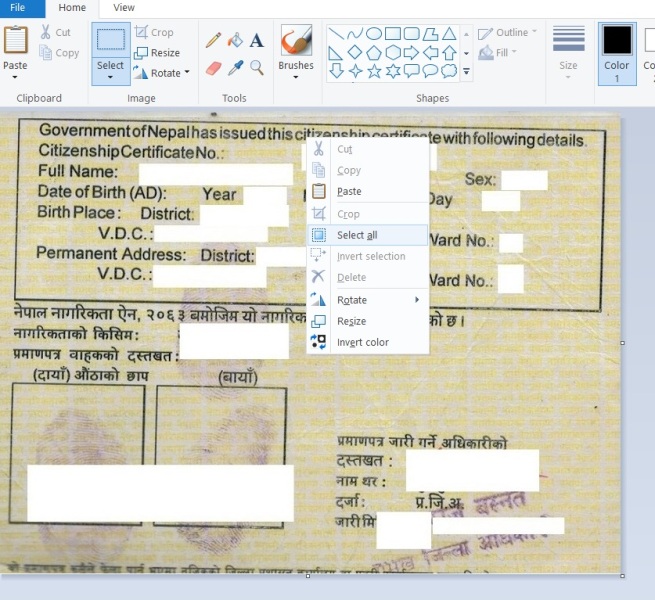
now open the cropped images one by one using MS paint , right click on the image and click on select all, you can use shortcut key CTRL+A insetad.
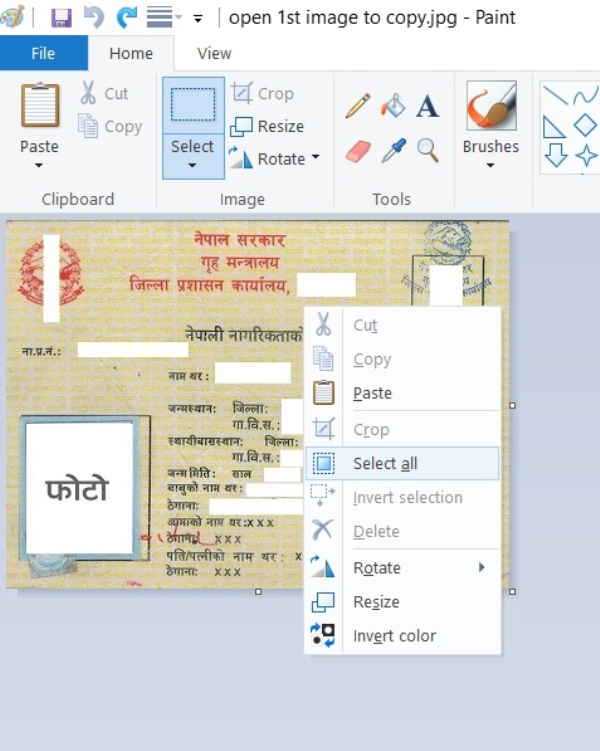
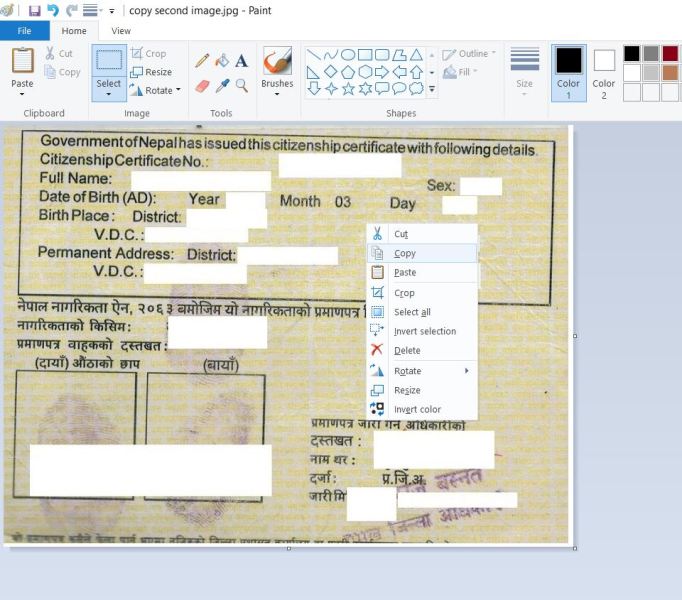
after selecting the image now right click on document and click on copy.
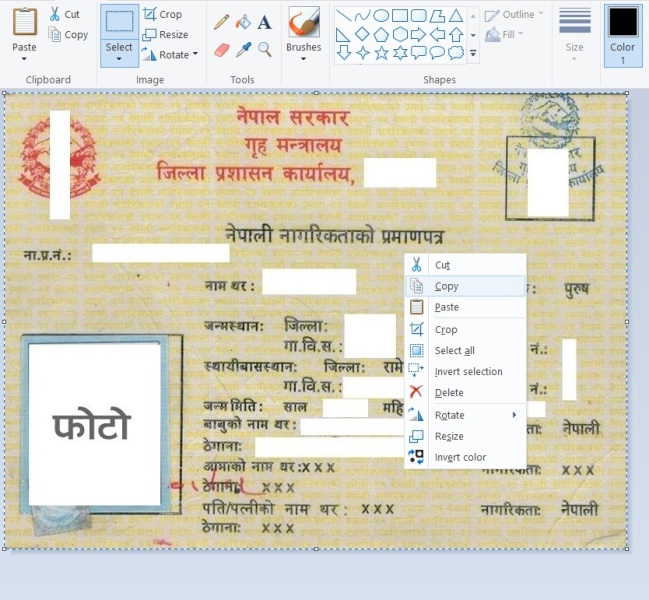
after clicking on copy , now maxmize the blank A4 size page then click on paste button or press CTRL+V .
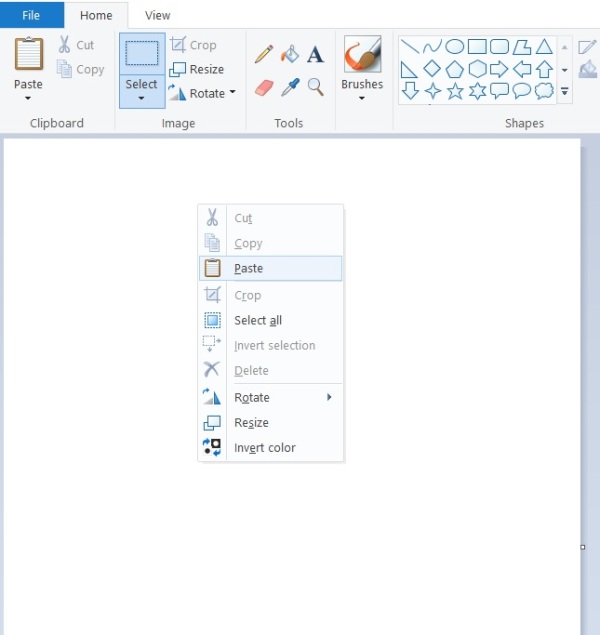
Right click on the blank document and click on paste options. Image is displayed then you can move to the best location by dragging by mouse.
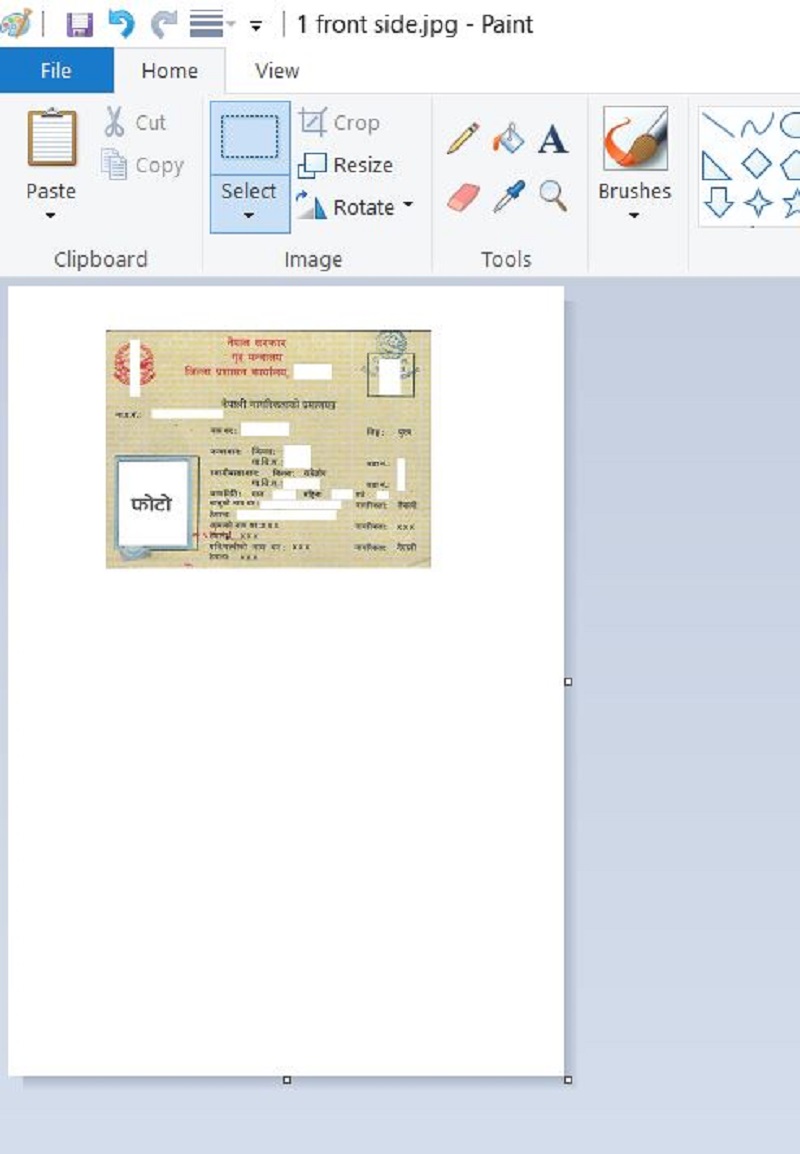
similarly, apply same process to the next image and paste to the A4 sized document.
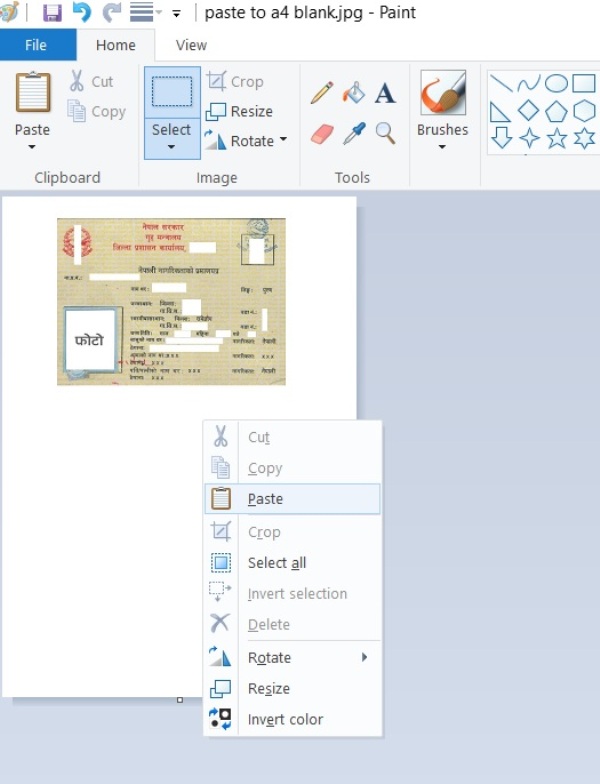
after hitting paste button second image appears in the paint window, you can drag the image to the best location and save the document.

Uses of merging id card in Nepal.
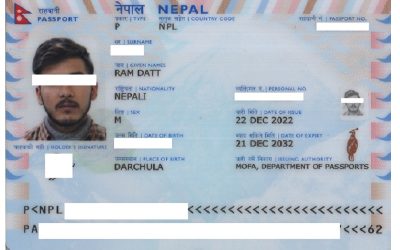
Merging two sided documents like Passports , Nagrikta , Nid is crucial when applying for Police report online form , Pan card online form, Passport online form, PSC online forms , Governmental offices documentation and many more purposes.
Understanding the Importance of Decreasing Image Size
- Less loading time for website
- plays a vital role in search engine optimization (SEO).
- By decreasing image size, website owners can cater to a wider audience, providing a seamless experience regardless of the device being used.
Ultimately, the practice of decreasing image size goes beyond merely simplifying technical aspects; it transforms how content is consumed. In a world where attention spans are short and competition is fierce, ensuring that visuals load quickly and retain quality is essential for retaining visitor interest. Thus, embracing image optimization is not just a preventative measure but a strategic approach to enhance performance and user satisfaction.
Conclusion
In conclusion, utilizing Microsoft Paint to decrease image size is rapid and user-friendly and merge id card documents to a single file. The ability to resize images without needing extensive software or technical knowledge makes it an ideal choice for everyday users. Whether you are looking to optimize images for online sharing or reduce storage needs on your devices, following these simple steps will help you achieve your goal efficiently.By following the instructions above you can easily combine any id cards or double sided documents using ms paint application.i hope this blog is useful for you. have a great day.


0 Comments